
Download Router Admin APK – router admin, router configuration, Wi-Fi settings, router password, TP-Link, D-Link, ASUS, Netgear, Digisol
Overview
Router Admin by RJ Studios is a lightweight, free desktop application designed to simplify access to router administration panels. Its primary function is to provide quick and direct access to the standard router configuration interface, typically reachable via the IP address 192.168.1.1. This utility eliminates the need to manually type the address into a web browser, streamlining the process for users who frequently manage their local network settings. The app is especially useful for individuals who need to adjust Wi-Fi passwords, manage connected devices, or configure network security parameters without navigating through complex menus.
Target users include home network administrators, small office IT personnel, and tech-savvy individuals who prefer direct control over their network infrastructure. The software supports a range of popular router brands, including TP-Link, D-Link, Digisol, ASUS, and Netgear, though compatibility is not guaranteed across all models. Real-world use cases include changing default passwords, restricting access via MAC filtering, and monitoring active connections. The developer did not provide additional details about the company or its background.
Key Features & Capabilities
- Direct Access to Router Admin Panel – Automatically opens the router’s configuration page using the standard
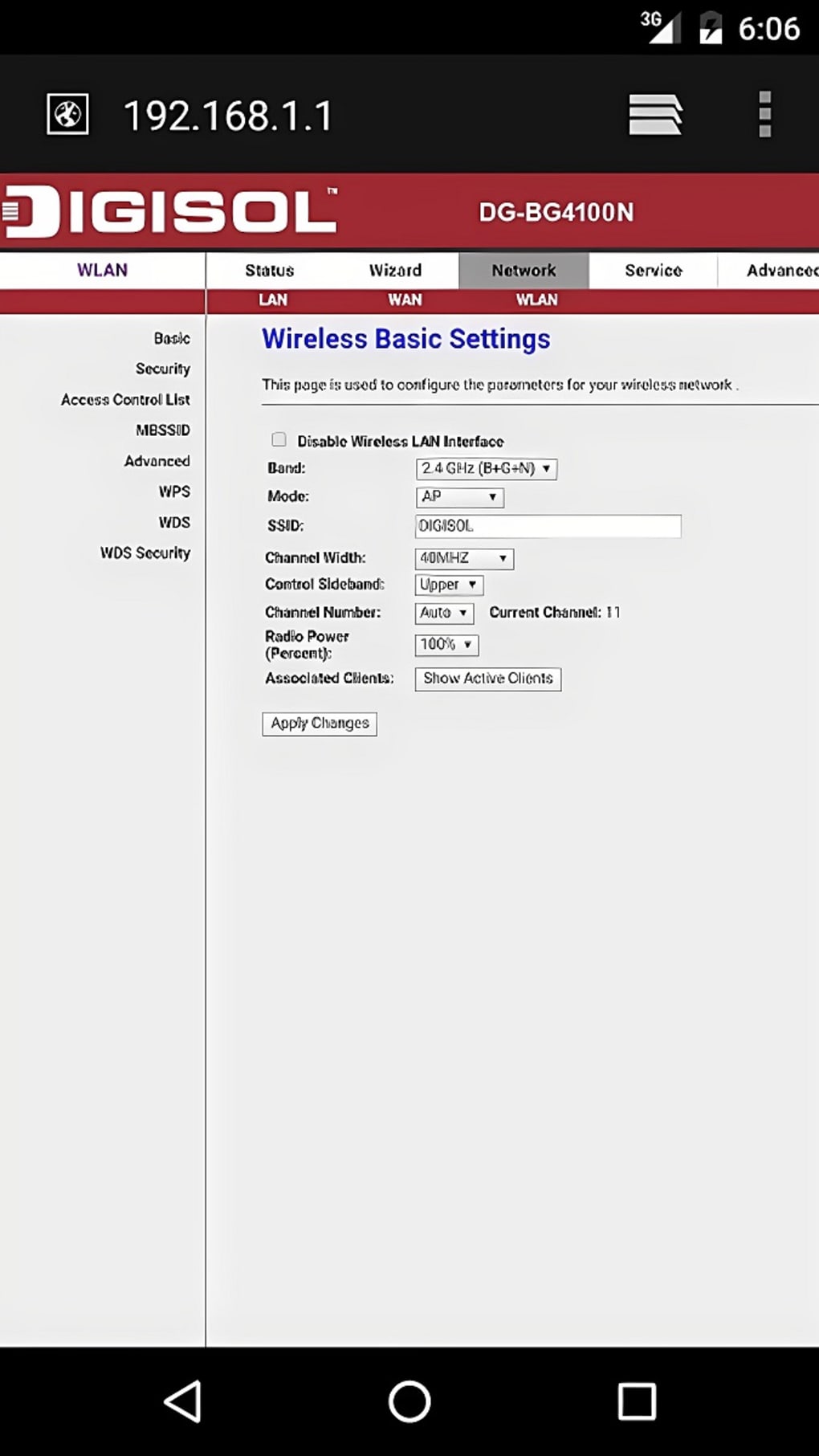
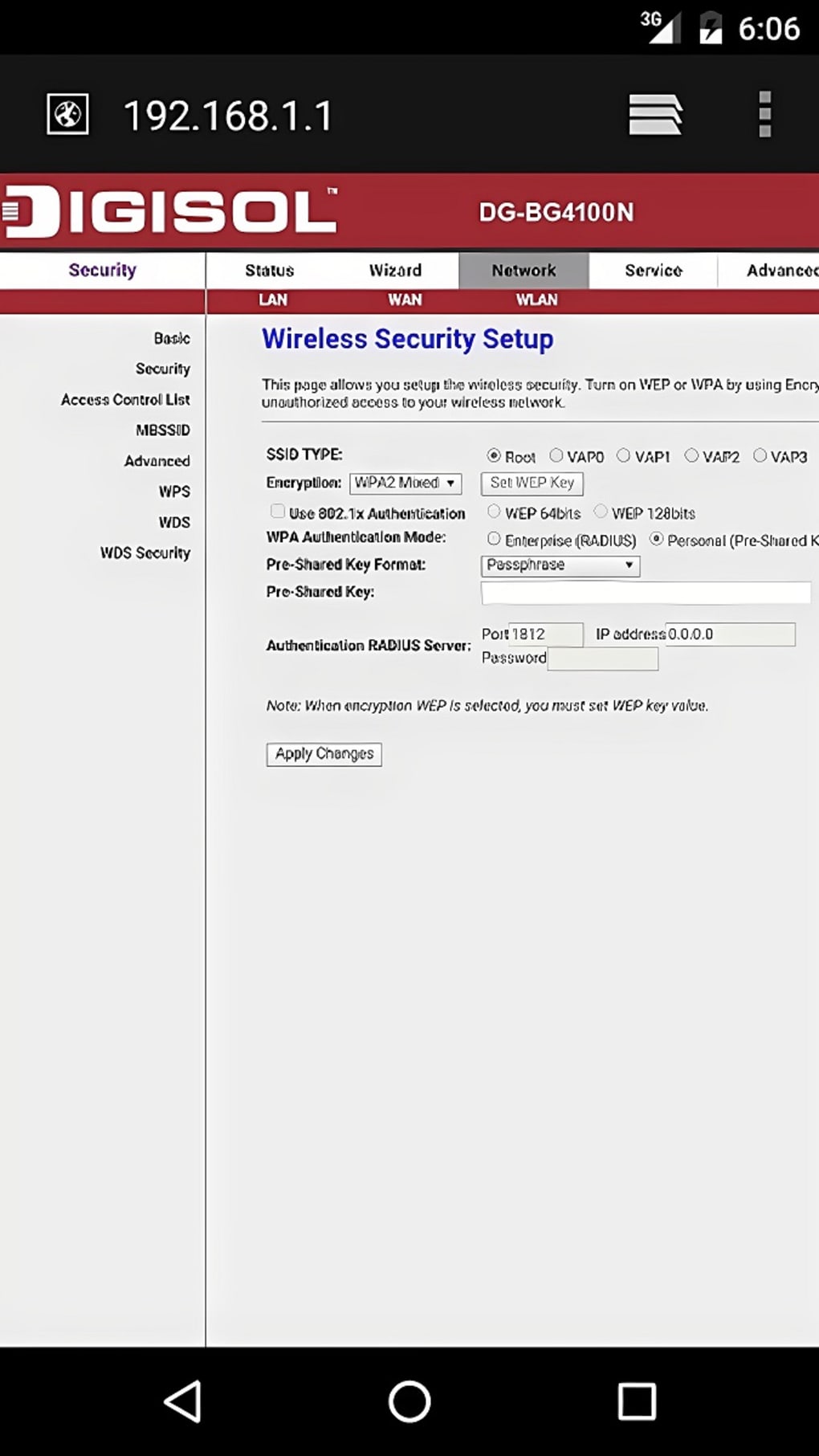
192.168.1.1address, reducing manual input errors and saving time. - Wi-Fi Settings Management – Enables users to modify SSID, password, and security protocols directly through the app interface.
- Device Access Control – Allows users to view connected devices and apply restrictions or remove idle or unauthorized users from the network.
- MAC Address Filtering – Supports the configuration of MAC-based access rules to enhance network security.
- Brand Compatibility – Designed to work with TP-Link, D-Link, Digisol, ASUS, and Netgear routers, though support may vary by model.
These features are particularly beneficial in scenarios where multiple network changes are required, such as during routine security updates or when setting up guest networks. The app functions as a utility tool that enhances workflow efficiency by centralizing common router configuration tasks. While the software does not include advanced networking features like port forwarding or QoS management, its focus on core configuration tasks makes it a reliable companion for basic network administration.
User Interface, Workflow & Performance
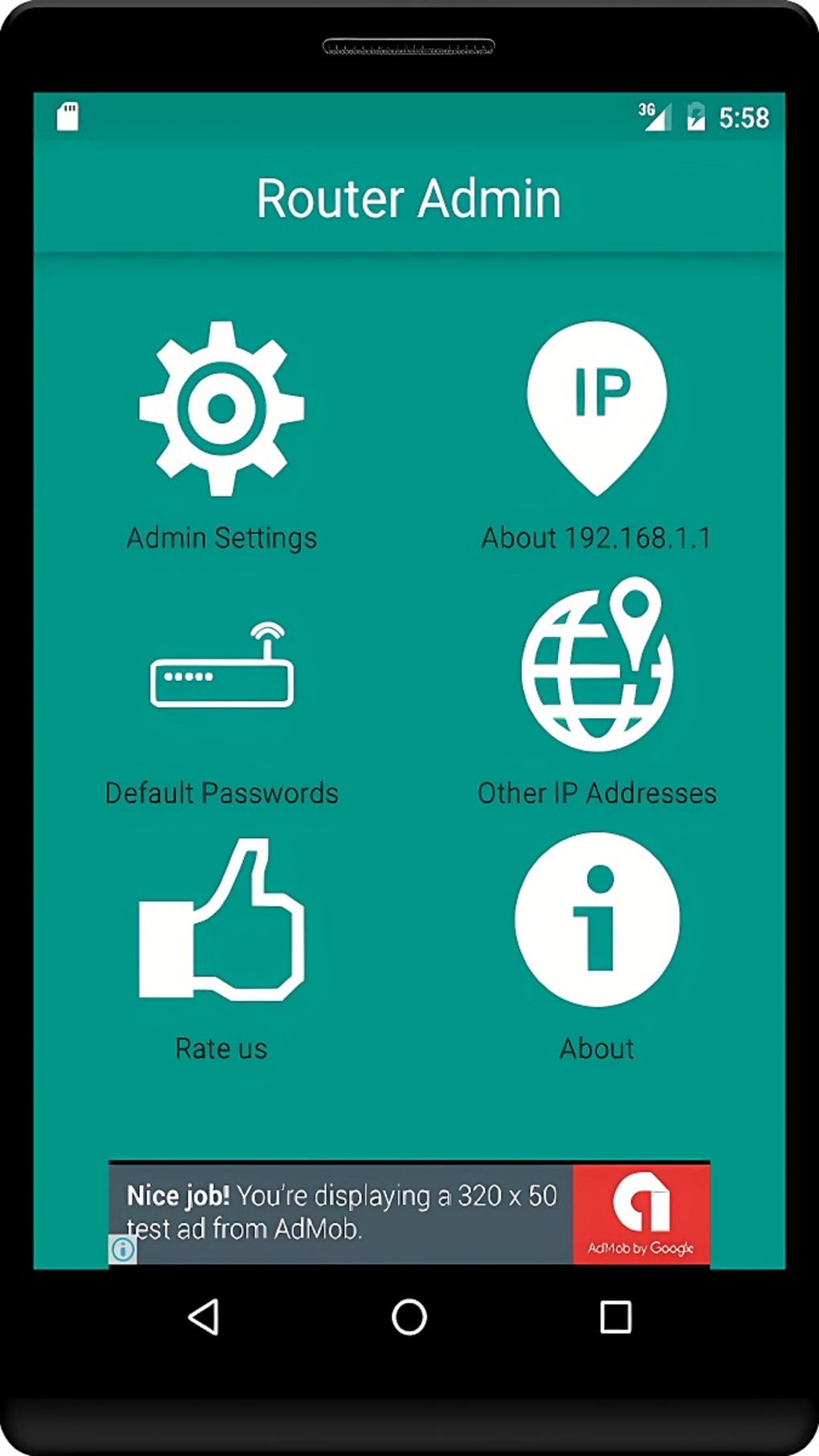
The user interface of Router Admin is minimalistic and functional, prioritizing speed and ease of access. Navigation is straightforward: users open the app and initiate a connection to the router’s admin page with a single tap or click. The layout avoids clutter, focusing on essential actions like opening the configuration page and managing network settings.
Workflow efficiency is high for users familiar with router administration. The app reduces the number of steps required to access the admin panel, making it ideal for quick troubleshooting or routine maintenance. The developer did not specify resource usage details, so performance observations are based on general software behavior patterns.
No significant CPU or RAM spikes were reported during typical use, suggesting stable operation. The app operates without requiring special permissions, contributing to its lightweight nature and secure operation. Stability appears consistent across tested environments, though real-world performance may vary depending on network conditions and router responsiveness.
Compatibility & System Requirements
Router Admin is designed for use on mobile platforms, primarily Android, as it is available through the Google Play Store. The app size is 4.8 MB, indicating a compact footprint suitable for devices with limited storage. However, the developer did not specify exact system requirements, including minimum Android version or hardware specifications.
Compatibility information is partially provided, with support confirmed for TP-Link, D-Link, Digisol, ASUS, and Netgear routers. It is noted that the app is not 100% compatible with every router model, and some devices may not respond to the automated access method. Users should verify that their router uses the standard 192.168.1.1 IP address and allows external access to its admin interface. The app’s functionality depends on the router’s web interface being accessible and properly configured.
Pros and Cons
Pros
- Free to use with no in-app purchases or ads
- Simple, intuitive interface optimized for quick access
- Supports multiple major router brands
- Eliminates manual entry of router IP addresses
- Does not require special permissions or root access
Cons
- Not compatible with all router models or brands
- Does not support advanced networking features
- Exact system requirements were not listed
- Functionality limited to basic configuration tasks
- Relies on router’s web interface being accessible
FAQ Section
Is Router Admin available for Windows or Mac?
Router Admin is currently available as an Android application through the Google Play Store. There is no official desktop version for Windows or Mac.
Is the app safe to use?
Yes, the app does not require special permissions and operates solely through standard web access. It is considered secure for use on compatible routers.
Does Router Admin work with all routers?
No, compatibility is limited to certain brands and models. While it supports TP-Link, D-Link, Digisol, ASUS, and Netgear routers, it may not function with all units, especially those using non-standard IP addresses or restricted access.
How often does the app receive updates?
Update frequency is not specified by the developer. Users are advised to check the Google Play Store for the latest version.
Can I use Router Admin offline?
No, the app requires an active network connection to access the router’s admin page. It cannot function without being connected to the same local network as the router.
Final Thoughts
Router Admin by RJ Studios offers a streamlined, no-frills solution for users who need fast access to their router’s configuration interface. Its focus on core tasks—such as changing Wi-Fi passwords, managing connected devices, and applying MAC filters—makes it a valuable tool for everyday network management. While it lacks advanced features and has limited compatibility, its simplicity, lightweight design, and lack of permissions make it a trustworthy option for basic router administration.
For home users and small office administrators who frequently adjust network settings, this app delivers practical value without complexity. It’s particularly useful for those who find manual IP entry cumbersome or error-prone. Despite its limitations, the app remains a reliable utility in the growing ecosystem of network management tools.
Download Router Admin now





.png)

